With the release of VCF9, lots of customers, have existing vSphere environments and would like to manage this environments under VCF Operations in VCF9 , in the below blog, we’ll go through importing a simple vSphere 8.0 update 3 environment under VCF Ops.
The existing environment to be imported has the following components:
- vCenter 8.0 u3 (running on the same cluster
- 2 ESX hosts 8.0 u3
- NFS Storage, Truenas
- Lifecycle image is applied to both hosts
- VCF 9.0.1
- Single Management Workload Domain
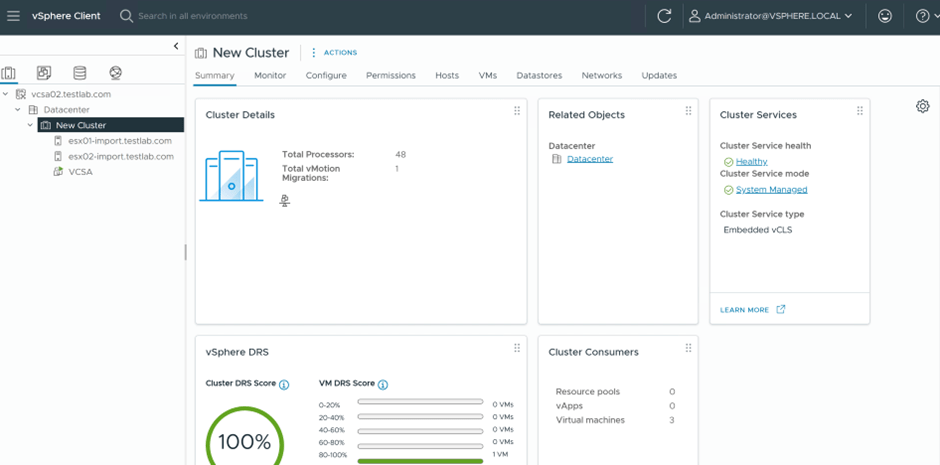
Below are the steps to import this vSphere 8 environment, under VCF 9 using VCF Ops
- Login to VCF Ops –> Inventory –> Add Workload Domain –>Import vCenter

- Add the Domain name for the imported environment

- Select Specify an external vCenter and add the vCenter Details as per the below

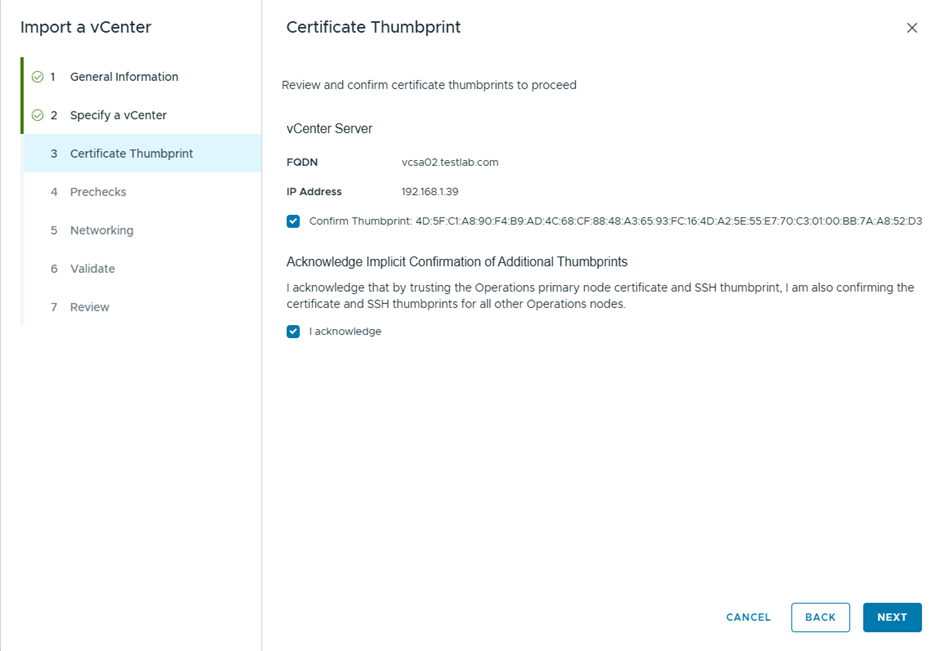
- Confirm the certificate thumbprint
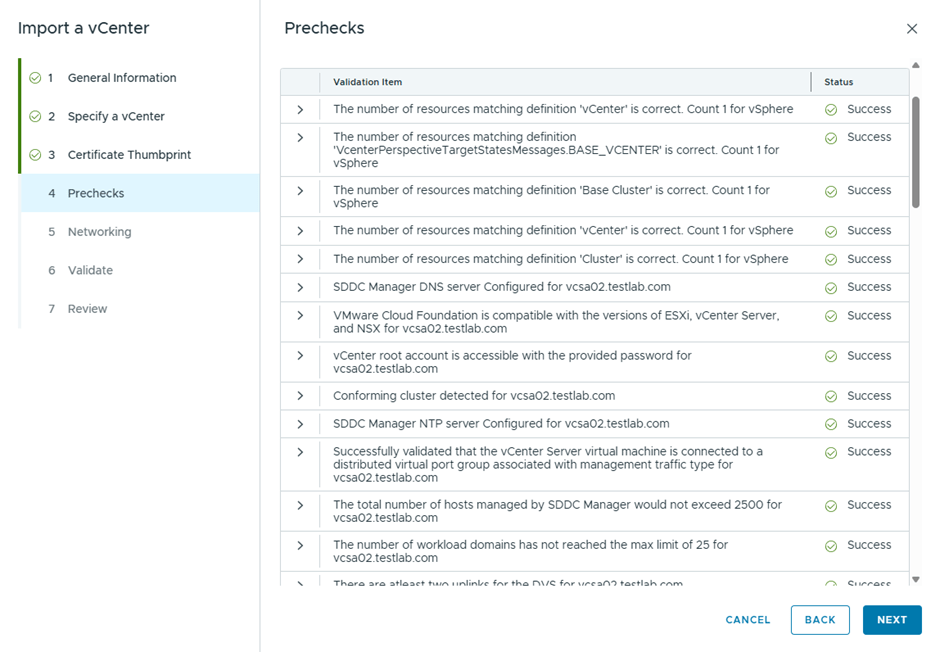
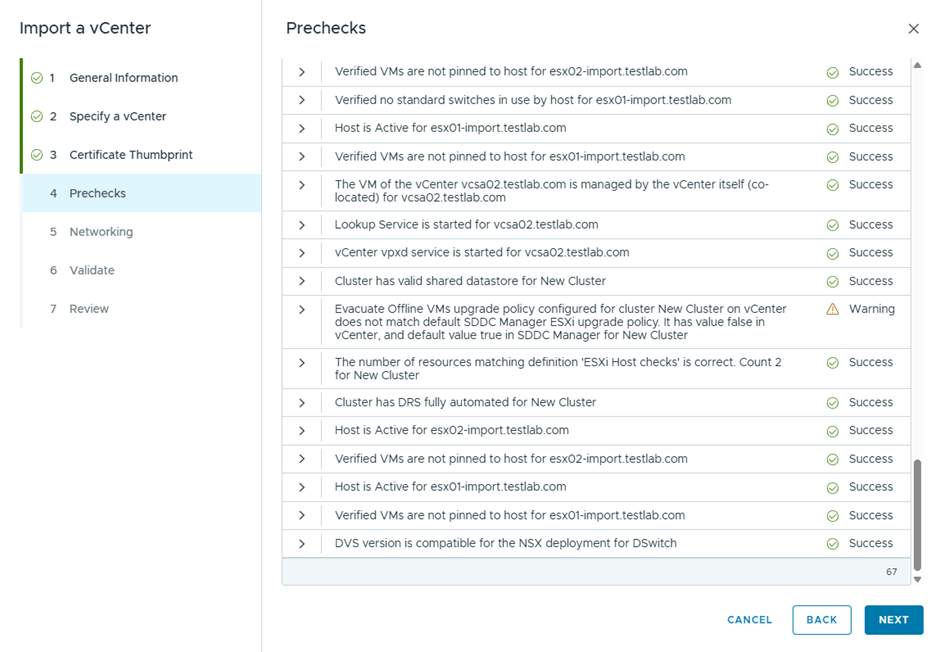
- Pre-checks passed successfully
- Added the NSX Manager details to be deployed during import

- During the final validation, I received this error
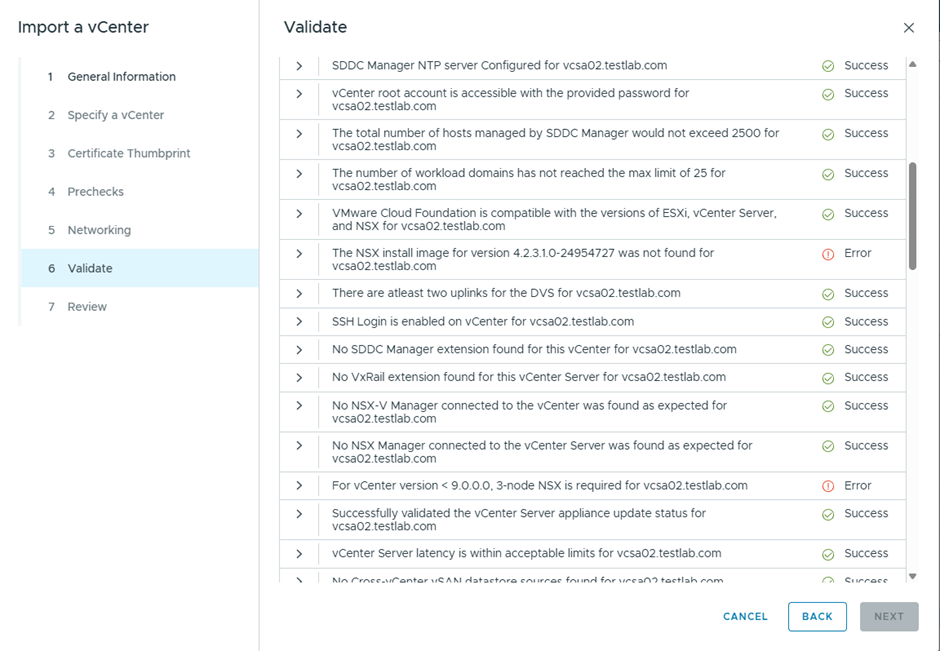
“The NSX install image for version 4.2.3.1.0-24954727 was not found for vcsa02.testlab.com”
“For vCenter < 9.0.0.0, 3-node NSX is required for vcsa02.testlab.com”
I edited the configuration of NSX to be deployed as a cluster and created the appropriate DNS records

- Got a different error this time

Second error can be ignored since I’m using 2 hosts only 🙂
Since I want to use NSX version 9, I’ll upgrade vCenter to 9 and retry the same operation again in the next blog
 The SDN Blog