In this mode, the migration coordinator migrates only DFW from NSX Data Center for vSphere to NSX-T Data Center.
The below configurations are migrated:
- User-defined Distributed Firewall (DFW) rules
- Grouping Objects
- IP sets
- MAC Sets
- Security Groups
- Services and Service Groups
- Security Tags
Security Policies created using Service Composer (only DFW rule configurations are migrated)
Guest Introspection service configuration and Network Introspection rule configurations in the Service Composer are not migrated.
Important Notes and pre-requisites:
- When we use the MC to migrate DFW configuration, the DFW-only migration mode must be run once, after the DFW configuration is migrated to NSX-T, we shouldn’t update the DFW configuration in NSX-V and run the MC again; running DFW-only migration mode is not recommended.
- Migration with UI is available starting 3.1.1
- L2 bridging should be in place
- No user defined rules should exist in NSX-T
- No unpublished changes in service composer or DFW in V
- Export version of DFW must be set to 1000 on NSX-V hosts
- All hosts in NSX-managed cluster (T and V), must be connected to the same version of VDS and each host within the cluster should be a member of a single version of VDS ( needs further explanation)
- The FW state is maintained regardless of whether the VMs are migrating in a single vCenter or across vCenters, also dynamic membership is maintained after the MC migrates the Tags to the workload VMs
- Objects created during the migration shouldn’t be updated or deleted before the migration finishes.
- You can’t migrate VMs again from NSX-T to NSX-V , roll back of migrated VMs is not supported
- The workaround is to add the VMs in the NSX-T FW exclusion list then migrate the workload VMs back to NSX-V
- DFW exclusion list is not migrated, you need to re-create them on NSX-T after migration
Demo using MC FW only
I have one edge node deployed and it’s extending the VXLAN logical switches (app and web) to NSX-T Overlay segments as per the below screenshot:

I will create a couple of test groups a per the below:
Note: Uninstalled VMware tools from Web VMs to notice the behavior when the rules are migrated to NSX-T
1-Group based on dynamic membership criteria (App)
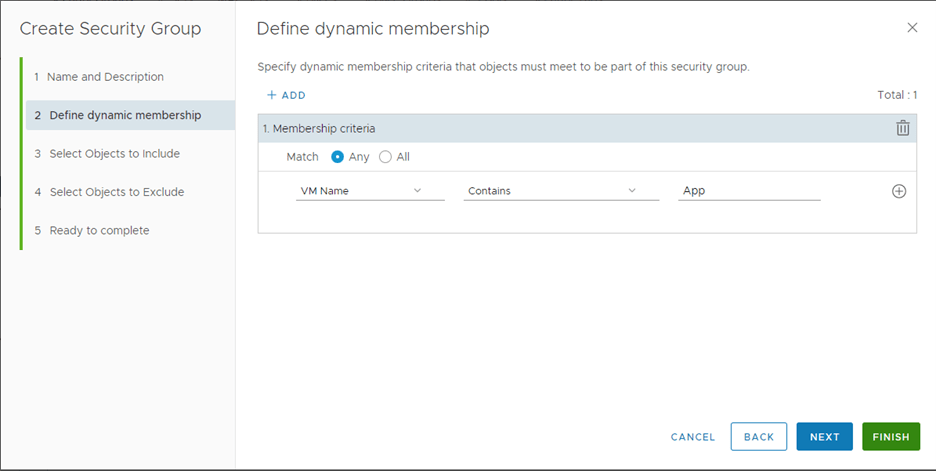
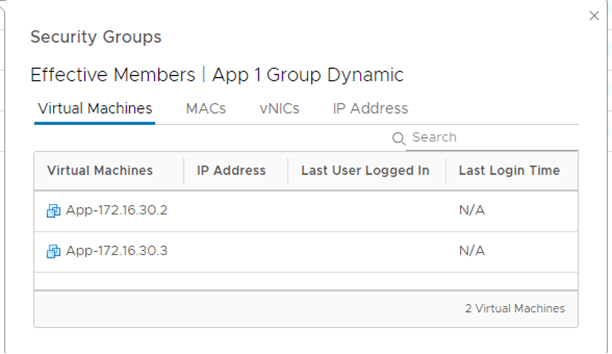
2- Group based on Tags (Web)


3-Group based on Static Membership
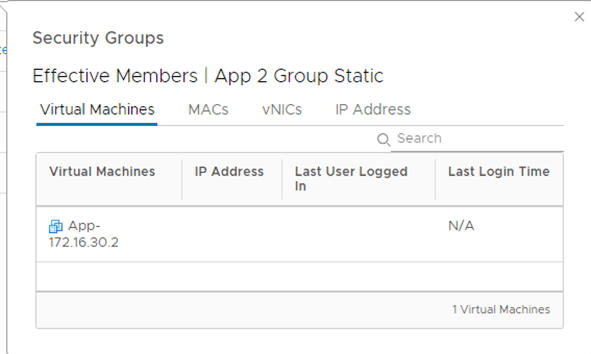
4-Group based on IP Sets
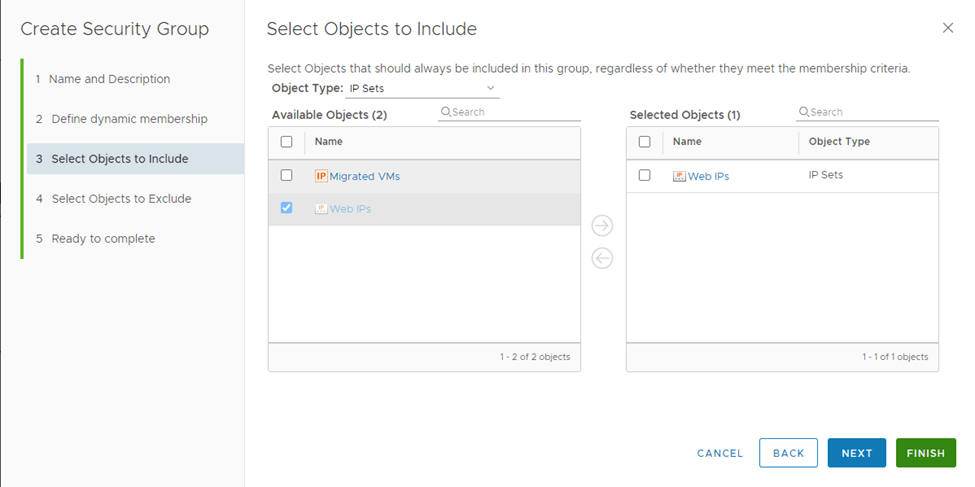
5-Create a Group based on Cluster (not supported with MC)

Let’s create a couple of test rules:
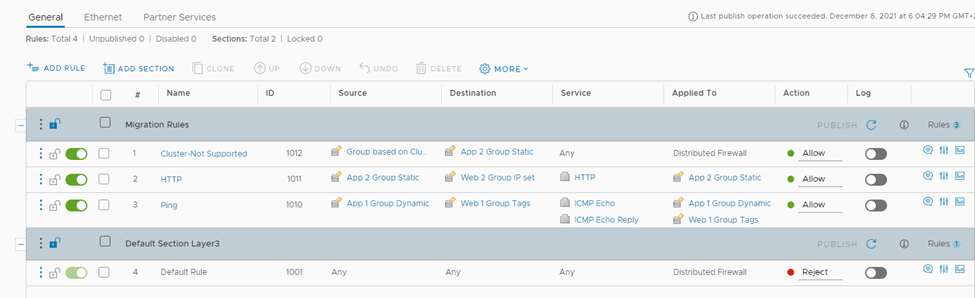
No let’s start the migration process:
First, verify that the DFW export version is 1000:

second, start the MC service service:

Login to NSX-T UI –> Migrate –>Advanced Migration modes –>Distributed Firewall –>Get Started:
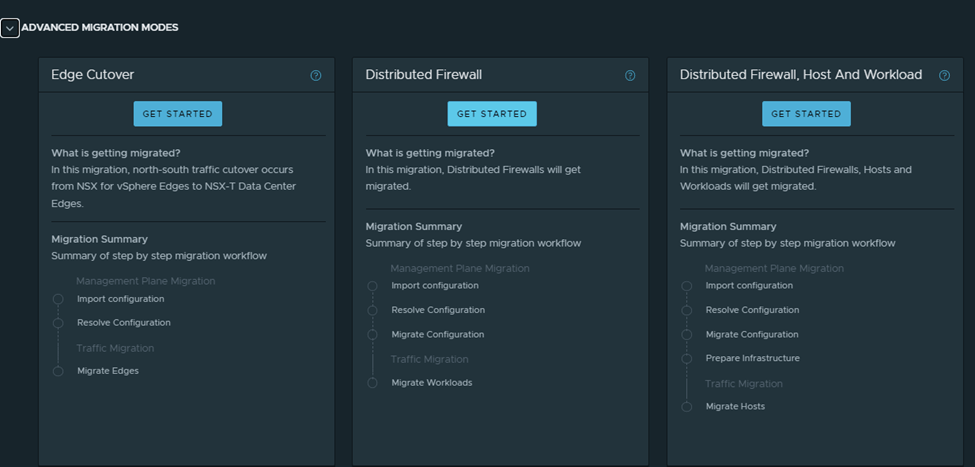
Enter credentials for vCenter and NSX-V (in this case same vCenter is used)

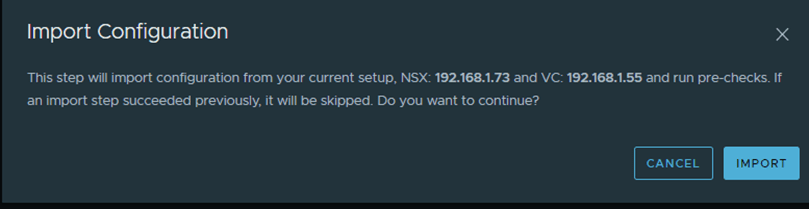
Start with importing the configuration:
After the successful import, we navigate to the page of resolve configuration which looks like the below:
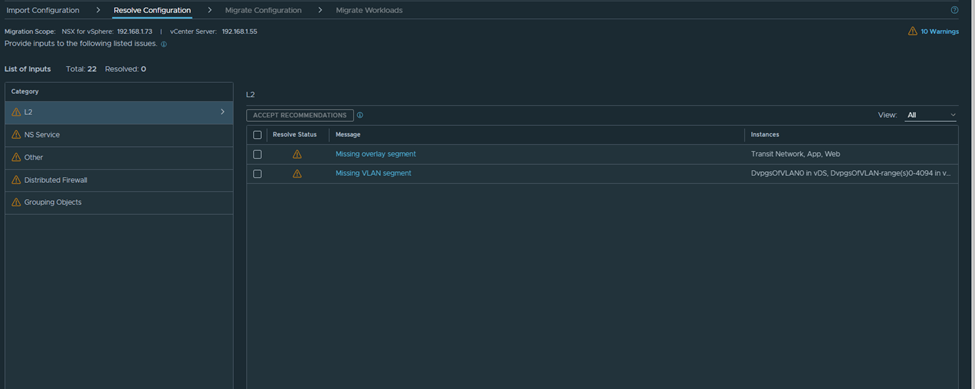
As per the below, I need to create the missing segments in NSX-T with the same VNI:
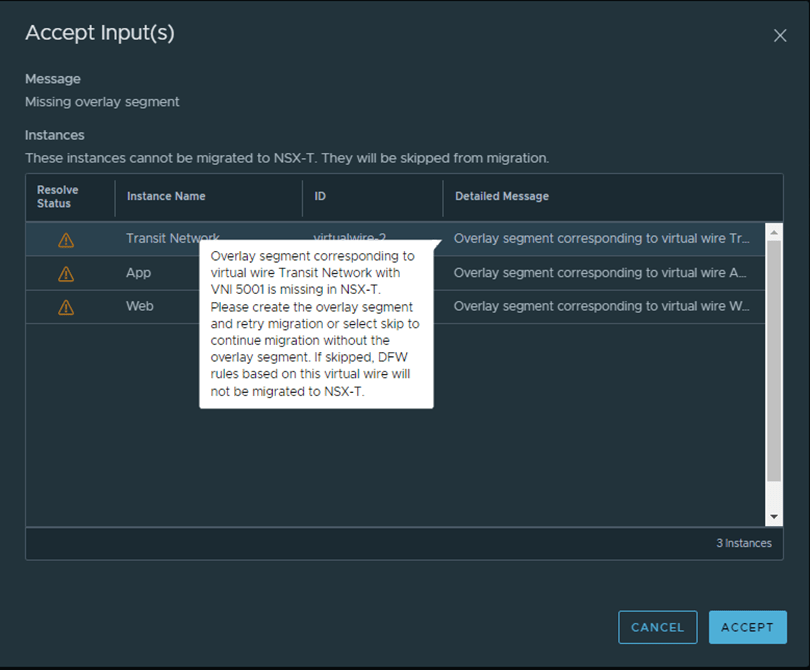
From Postman create the segment with the VNI ID equals the one in NSX-V:
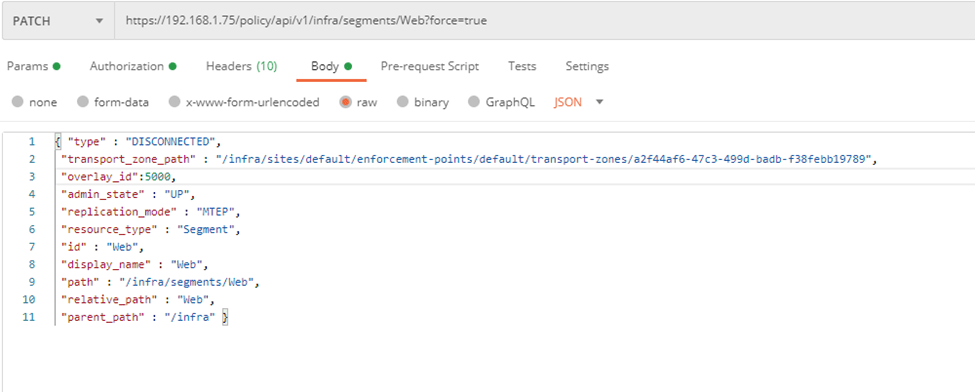
Notice here I’ve some different settings than the example listed in the MC guide, since I don’t want to connect this segment to a T1 yet.
And another one for the App segment:

Now let’s rollback the configuration and retry again:

After importing again, notice that the error for web and app corresponding segments have disappeared:

Another warning shows for the rule containing a group based on cluster:

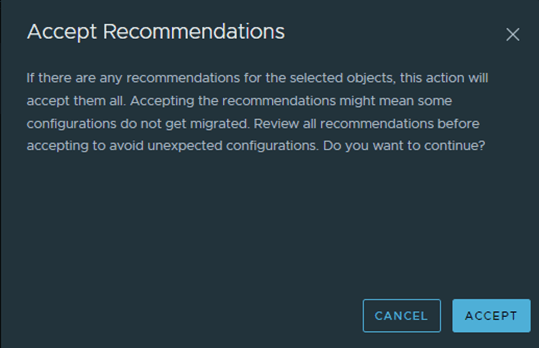
Now let’s accept all the recommendations and start the migration:
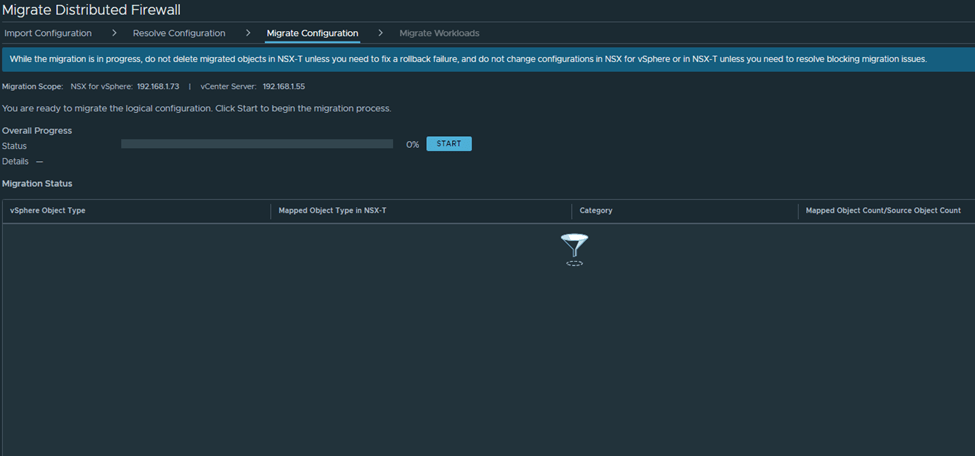
After the migration imported successfully, notice one group is created like the below:
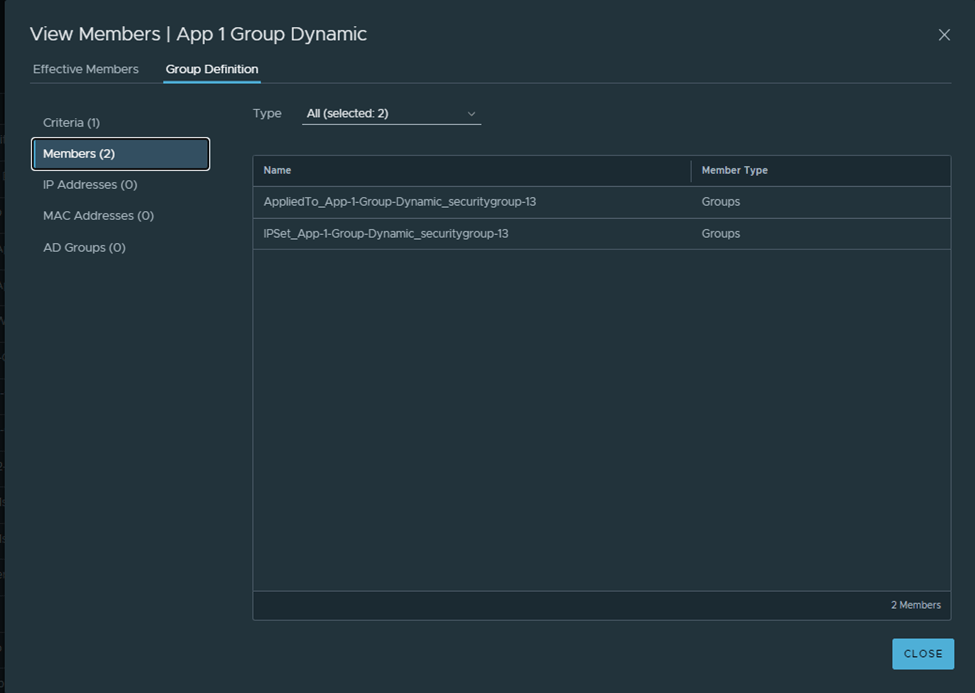
A parent group is created and has two subgroups, when of the is based on IP sets in order not to break the communication between VMs in T and VMs in V
Important notes:
- As of NSX-T 3.1.1, the migration coordinator does not modify the NSX-V environment. It is assumed that NSX-V dynamic membership is maintained as long as the VM is in the same vCenter. If you plan to move the VM to another vCenter and maintain security, you must manually create IPsets in NSX-V reflecting the dynamic mappings before moving the VM
- During the Migrate Configuration step, Security Tags from NSX-v are not migrated to NSX-T. Therefore, the Security Tag-based migrated dynamic Groups in NSX-T are empty. The reason is that in NSX-v, a Security Tag is an object, whereas in NSX-T, a tag is an attribute of a VM. The tags are applied to the workload VMs only after you migrate the workloads to NSX-T
- If the migrated NSX-T Groups have static memberships, these Groups also are empty after this step is finished. The reason is that the static members are not available in NSX-T Groups until the workload VMs are migrated
- During vMotion from NSX-v to NSX-T, the workload VMs are always protected because the migration coordinator translates the existing NSX-v DFW rules and security groups into temporary IP-based rules and groups. If your DFW rules consist of VM static memberships and Security Tags, these settings are applied in NSX-T only when the vmgroup API endpoint with post_migrate action is run after vMotion of workload VMs
How the FW rules look like in NSX-T after the migration:

Workload Migration
Two ways to migrated workload VMs after you migrate DFW configuration:
- If “Applied to” is not used, ie set to DFW
- Migrate Workload VMs (Simple Case)
- If “Applied to” is used, ie not set to DFW
- Use a script to Migrate the VMs (Complex case)
Let’s go with the second use case, since we have applied to field not set to DFW in NSX-V,
In order to do that we need to create VM Groups for Workload Migration since
the DFW rules in our NSX-v environment use Security Groups with dynamic memberships based on Security Tags or use static memberships. When only IP-based DFW rules are used in NSX-v environment, VM Groups are not required before migrating the workload VMs to NSX-T.
The purpose of this group is to create a VIF for every VM that will be migrated over to NSX-T
We need to get the UUID for every VM to be migrated in order to added to the VM group, we can get this using the MOB or with vSphere APIs, below is how to get from the mob file:

These are the 4 UUIDS, which will be used in the VM group:
5010c3d6-db26-6226-a3e8-76b231156720
50102bb4-615a-6476-2da2-34ec63f71a80
50106272-5cf6-ec3f-de0c-fdea3e38767b
5010d6f5-eb38-bf12-62e2-cf903ddd1929
We can add them all at once using the below API call:

Notice the segment ports /VIFs get created under each NSX-T segment:
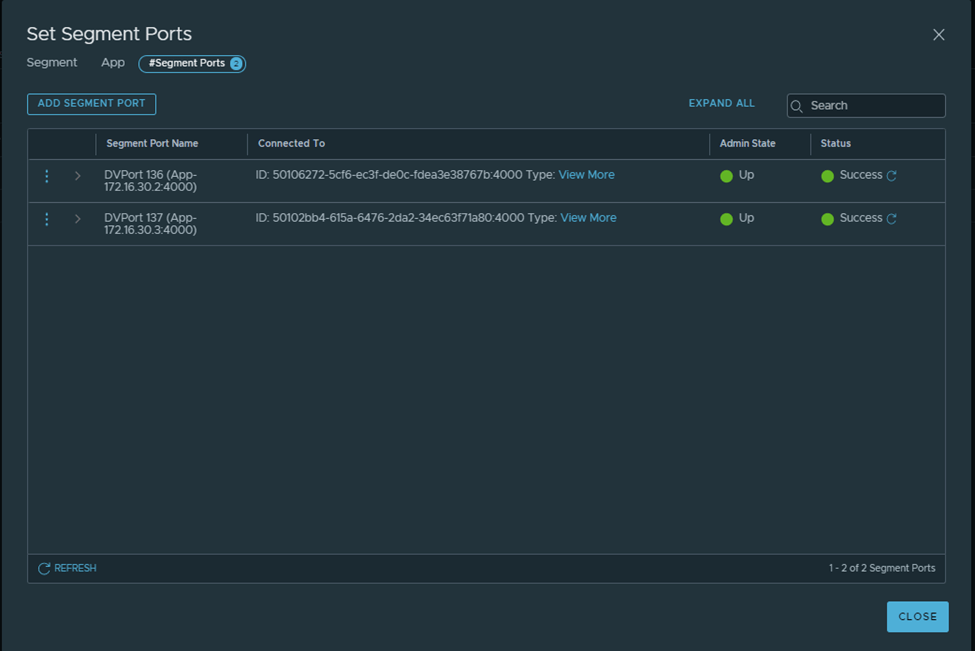
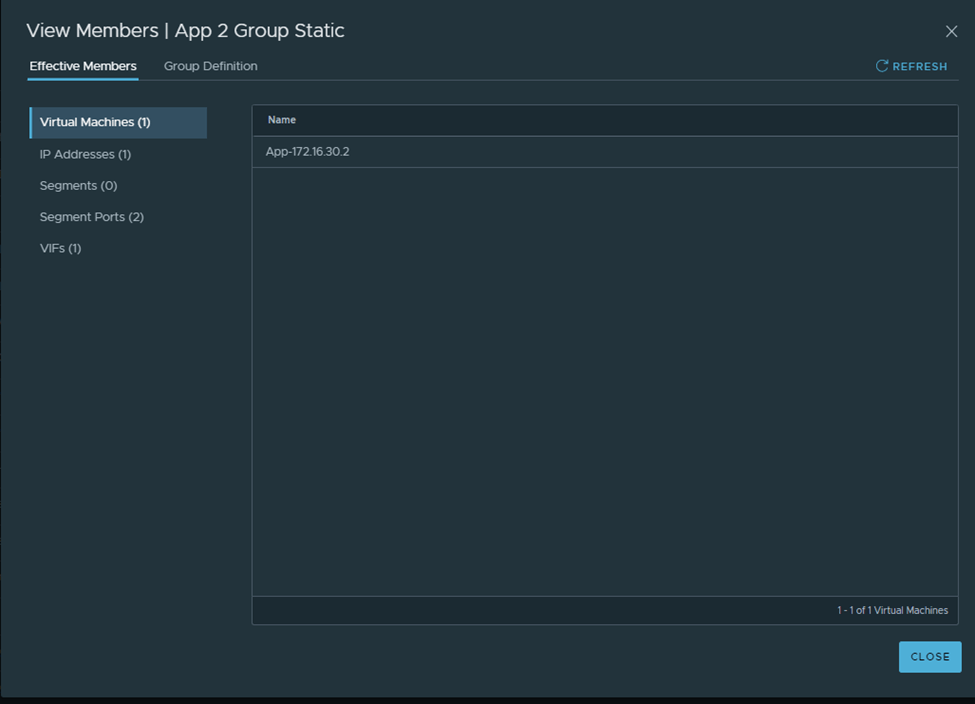
After Migrating one VM and running the below API call:

You can now see that one group based on static membership has now the VM assigned to it correctly:
 The SDN Blog