The below steps are an illustration of bridging a federated segment to another VLAN/VXLAN segment, this scenario might be needed in case there is a requirement to maintain layer 2 connectivity between a segment created from the global manager to a normal VLAN segment/portgroup, a VLAN created on the physical devices or even a vxlan logical switch created on NSX-V, bridging a federated segment is done from the local manager, using the manager mode instead of the policy mode, we will start with the below steps:
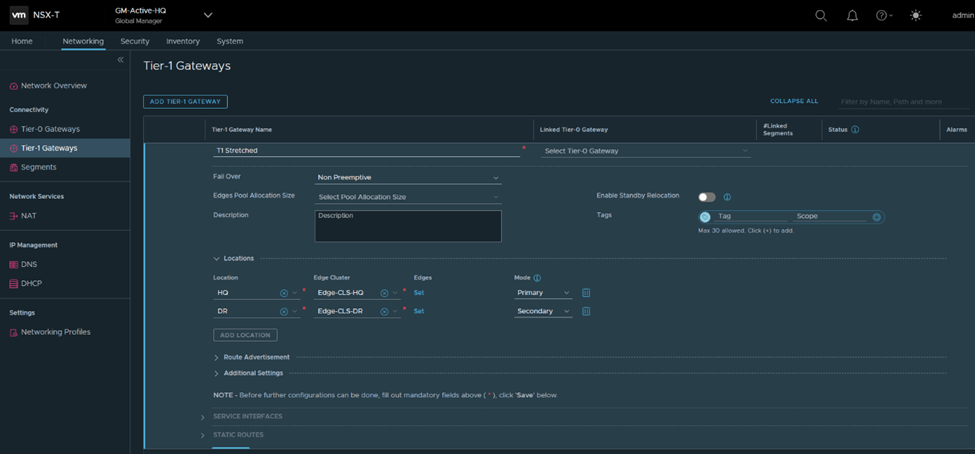
1-Create Global Tier 1 for stretching one segment:
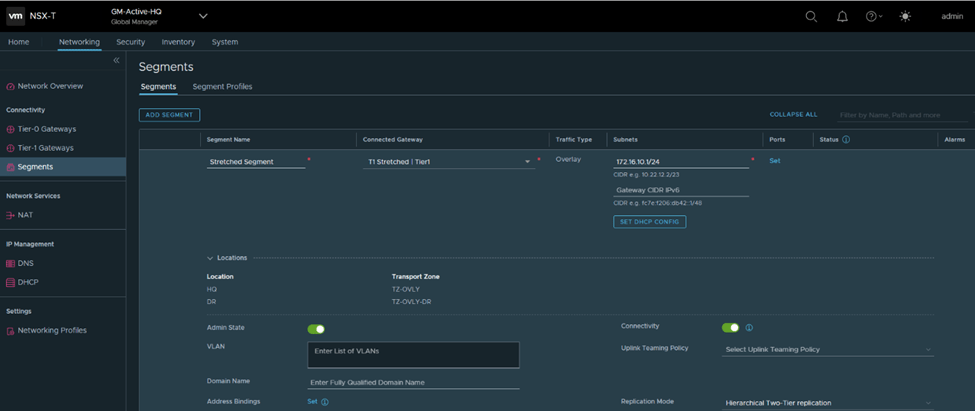
2- Create a global segment from the global manager, the segment would be stretched between the two sites HQ and DR:
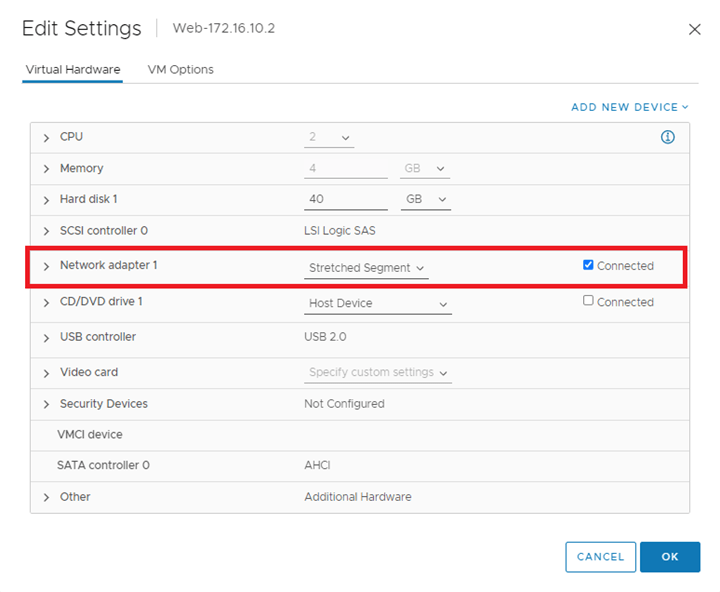
3-Connect a VM to the stretched segment:

6-Run the below API call to tie the VLAN TZ to the Edge bridge profile created:
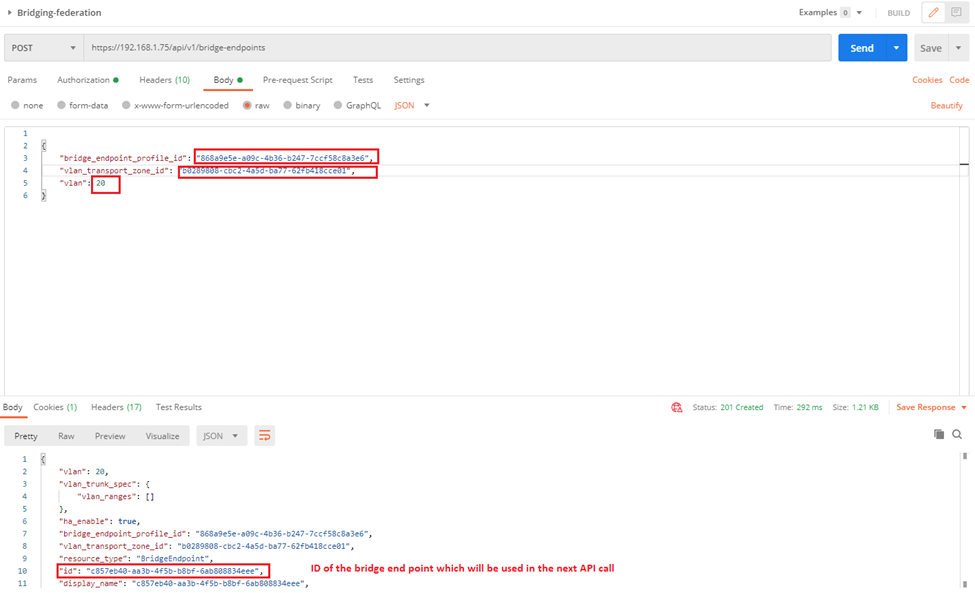
We can get the first two highlighted parameters from UI (bridge profile ID and VLAN TZ ID) and the third one is the VLAN ID of the VLAN which will be bridged to the stretched segment, the last one is the bridge end point which we use in a new API call it to create a port on the bridge
7-Run the following API Call to create the port on the bridge, I specified the ID of the stretched segment as well as the id of the bridge endpoint (the output from the previous API call):

8-From the NSX-T manager, manager mode navigate to the logical switch –> Bridge Profiles, you will find the edge bridge profile is mapped to the stretched segment:

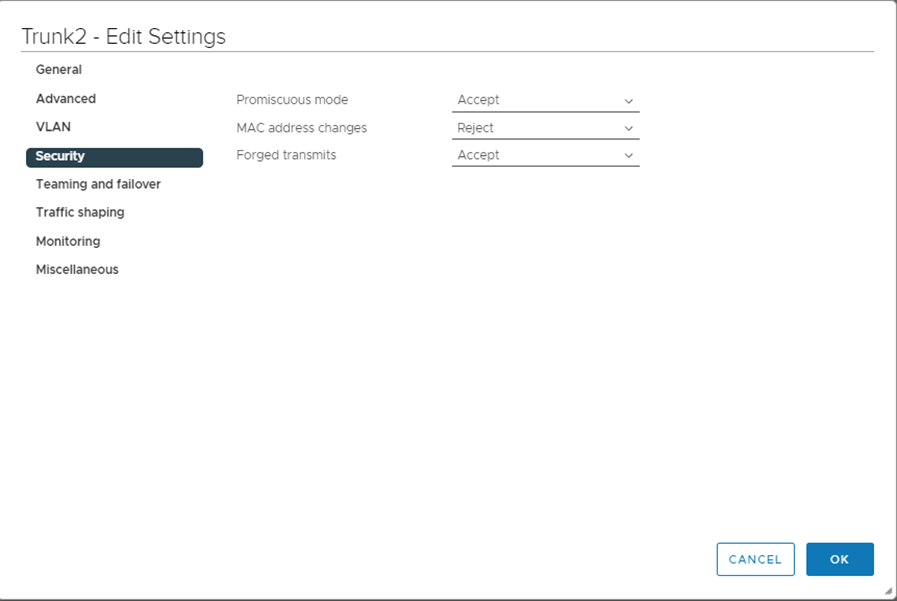
9-Enable Promiscuous mode and forged transmits on the trunk port that connects the edges used in the bridge profile ( to allow traffic to be sourced from different MAC without VDS blocking them)
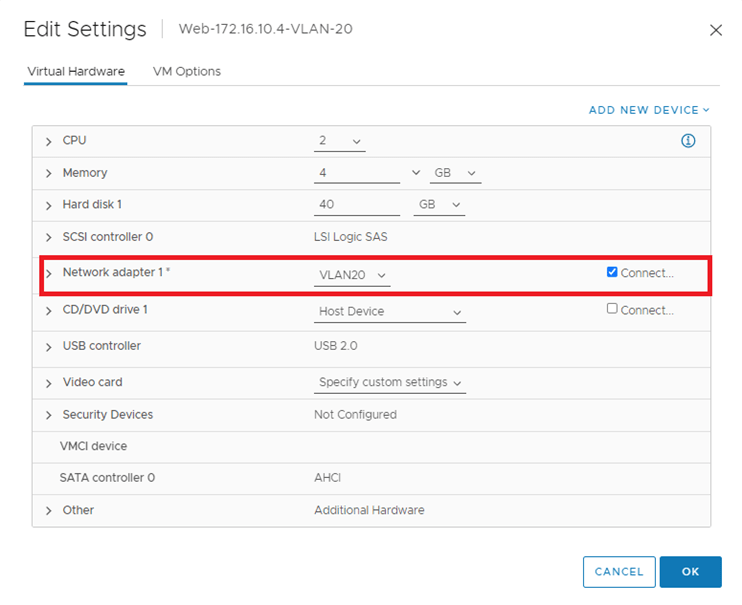
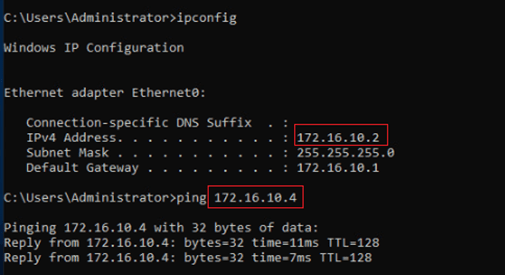
10-Test Pinging from the VM on the stretched segment to the VLAN on portgroup VLAN20,
Source IP:172.16.10.2
Destination IP: 172.16.10.4
11-Packet Capture from the edge node:
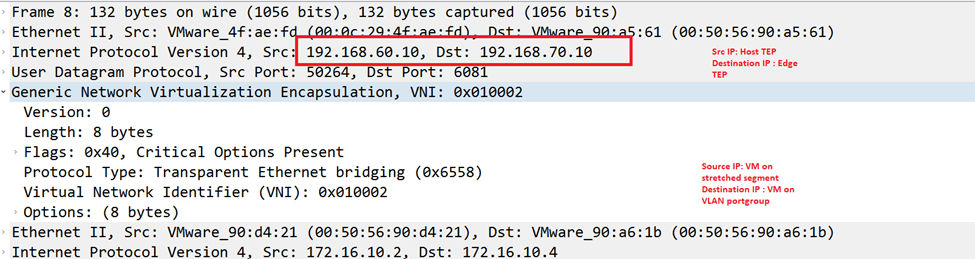
12-from ESX03, where the VM

References:
 The SDN Blog